
Teachers, classes and institutes
A teacher need not be technical, and a student’s notes stay a student’s own.
Join codes, a session log, attendance, homework and grading, certificates that anyone can check, and a view for families.
What it does
A class has a join code for students, a log of its sessions, recordings with chapter marks, attendance, homework and grading. Quizzes and exams can be set, with one attempt for each student and marks hidden until the teacher releases them.
Certificates and ijazas are issued through Sijill. Each has a public page, at a link that ends with its own code, where anyone can check that it is genuine. A parent or guardian can be given a code that works for forty-eight hours, which shows attendance, quiz results and the teacher’s feedback, and never a student’s notes. An institute can run its classes, cohorts, members and staff from one place.
Every member chooses brother or sister, and a member cannot write directly to someone on the other side. This has been live on the beta since the fourth deploy.
How we did it
We built each of these with a teacher who is not technical in mind, so each takes a few taps. The family view has no way to reach notes, which is a decision of how the app is built, and not a setting.
Sijill never holds anyone’s money. Learning on Sijill is free for students and teachers, and payments are not switched on yet.
Built today / Coming, not live yet
Built today
- Join codes, session log, recordings with chapter marks, attendance, homework and grading.
- Quizzes and exams with one attempt and marks hidden until released.
- Certificates and ijazas with a public page to check them.
- A family view that shows no notes.
- Institutes, and the brother or sister choice.
Coming, not live yet
- Payments for paid classes are not switched on.
- Import of an institute’s members from a spreadsheet is not built.
- Google Classroom and sign-in with Apple or Facebook are not built.
- The Messages page is switched off.
Inside the app
A short drawing of how this part works, one step at a time. The screens come after it.
Open a class with a join code
Students join with the code, and the teacher keeps a log of every lesson, with recordings marked by chapter.
Attendance and homework in one place
Attendance, homework and grading share one log. Quizzes and exams allow one attempt and keep the marks hidden until they are released.
A certificate anyone can check
Certificates and ijazas have a public page, so anyone can check them. A family view shows no notes.
Screens
Scroll sideways to see every screen.
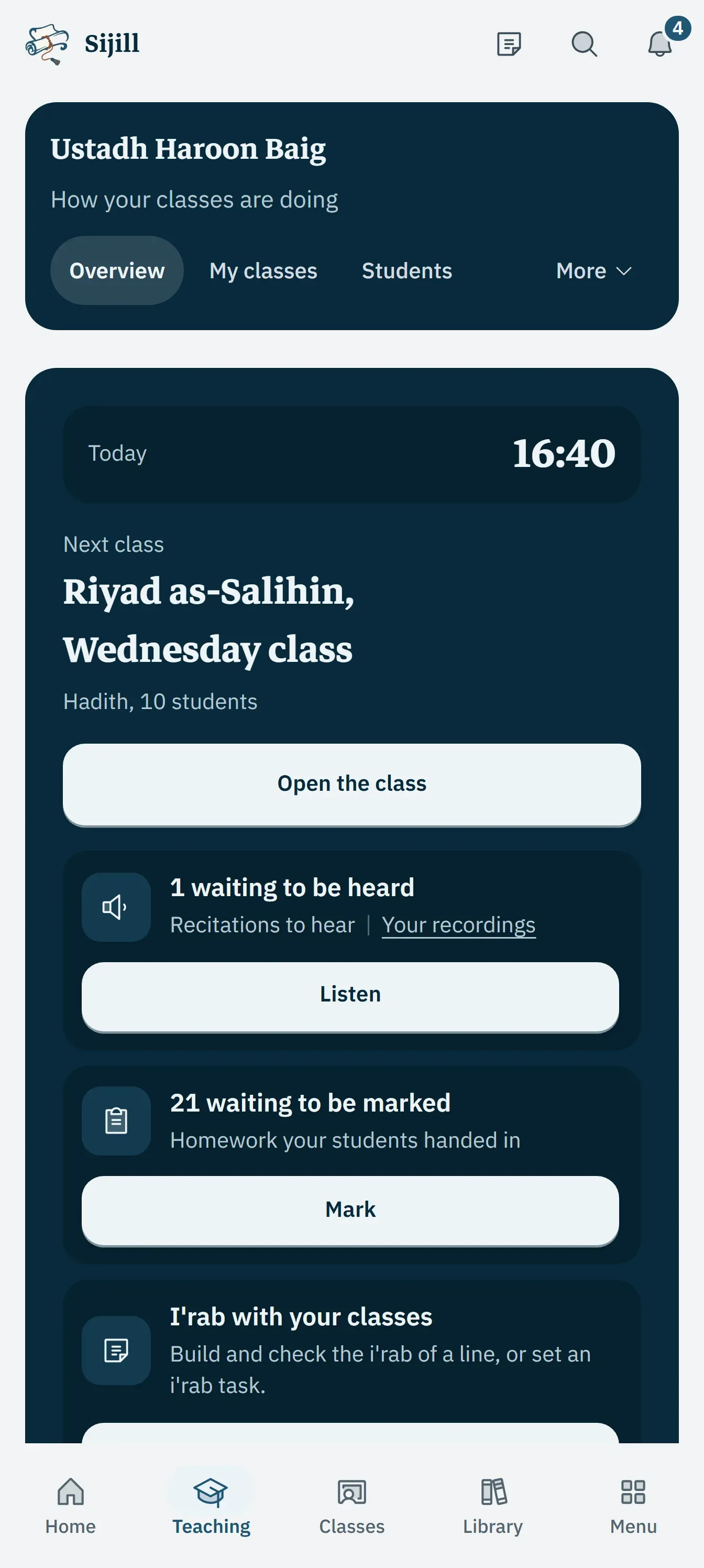
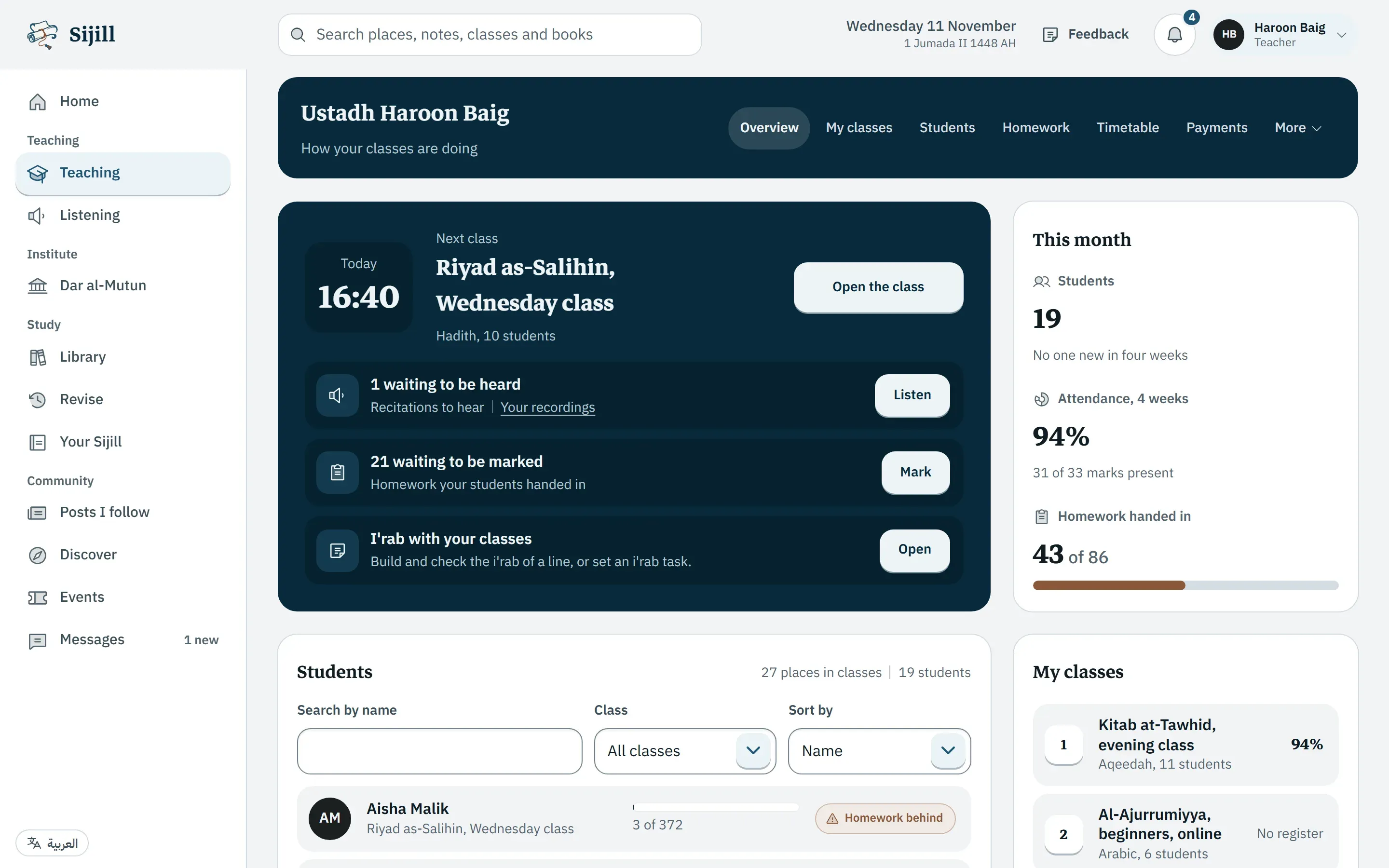
The teacher’s home page: the next class, the recitations to hear and the homework to mark. 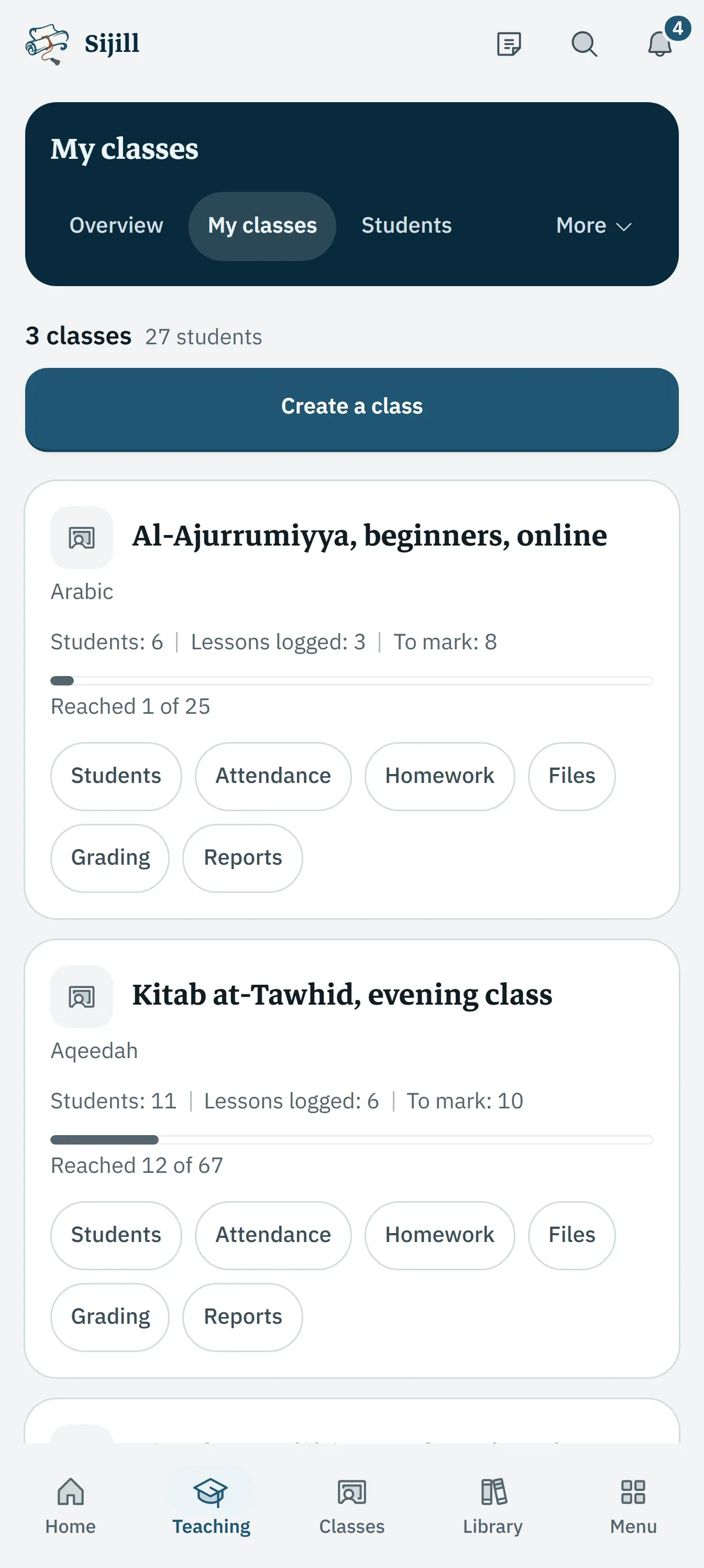
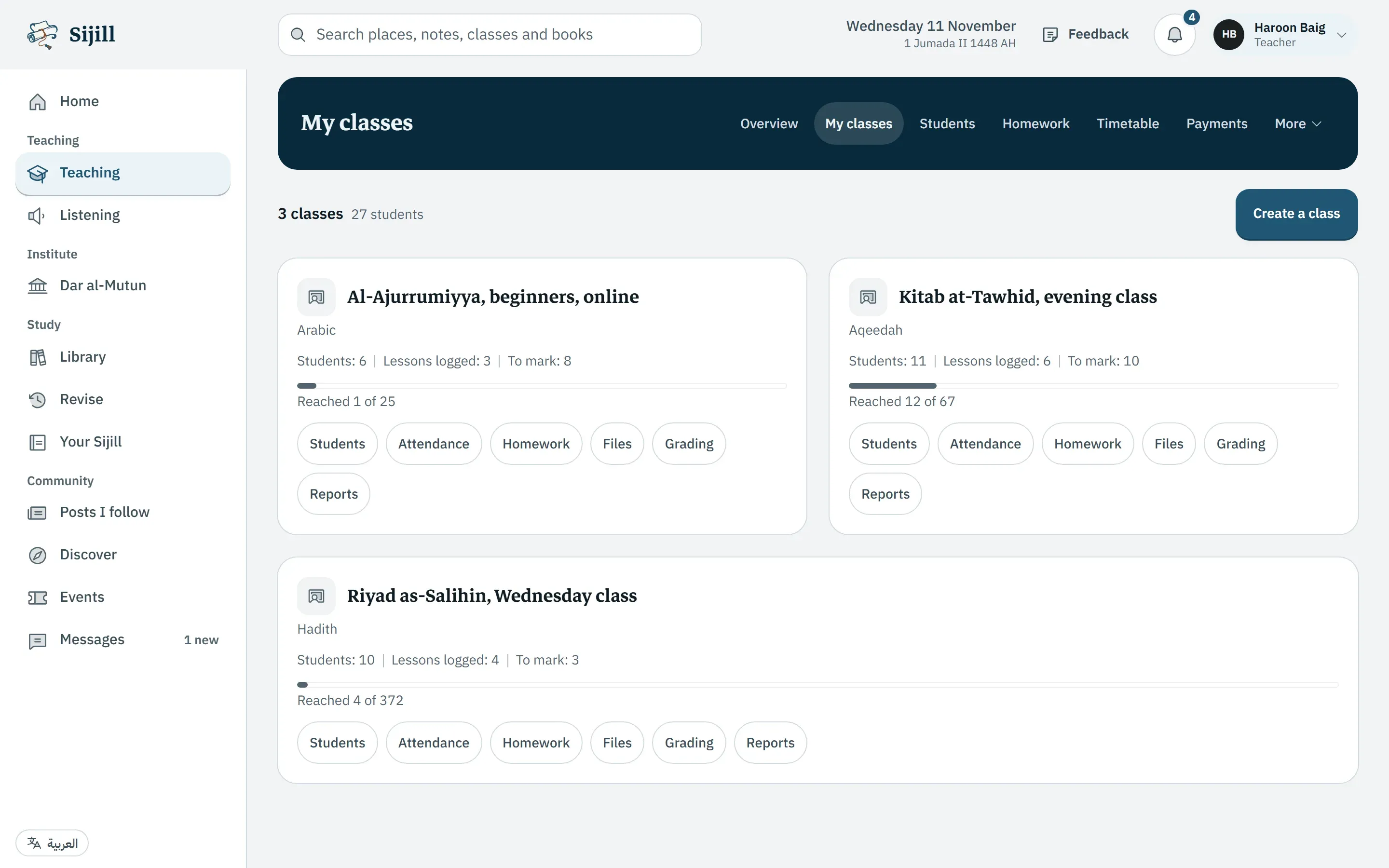
My classes. Each class shows its students, the lessons logged and the work waiting to be marked.
The pictures on these pages come from developer copies of the app with stand-in people and sample notes. They are not a real student’s account.
The other subjects
The library and the reader
More than a hundred books to study from, read one section at a time, with your place kept and your own notes beside the text.Read the deep diveHadith and narrators
The six books, the Muwatta and the Adab al-Mufrad, with a card for every narrator that carries the critics’ own words.Read the deep diveThe Quran
The text of the Quran from Tanzil, a card for every word, similar verses, and decks for memorising.Read the deep diveTafsir
A study panel that puts the tafsirs of an ayah side by side, with your own notes and your teacher’s.Read the deep diveCreed, fiqh and usul
Twenty-three books of creed, twelve of fiqh and three of usul, with study paths, and no rulings of our own.Read the deep diveArabic and grammar
Eight grammar books, a card and a root search for every word of the Quran, and a place to practise i‘rab.Read the deep diveThe seerah and the people
The lives of the authors from the books’ own words, a timeline of sixty-four events, and a map that waits for places we can stand behind.Read the deep diveLive classes
A class room that Sijill hosts itself, with the book beside it, notes tied to the minute, and a record of where the class got to.Read the deep diveNotes, revision and questions
Every note tied to its lesson, teacher, book, page and minute, with revision that returns at the right time.Read the deep dive